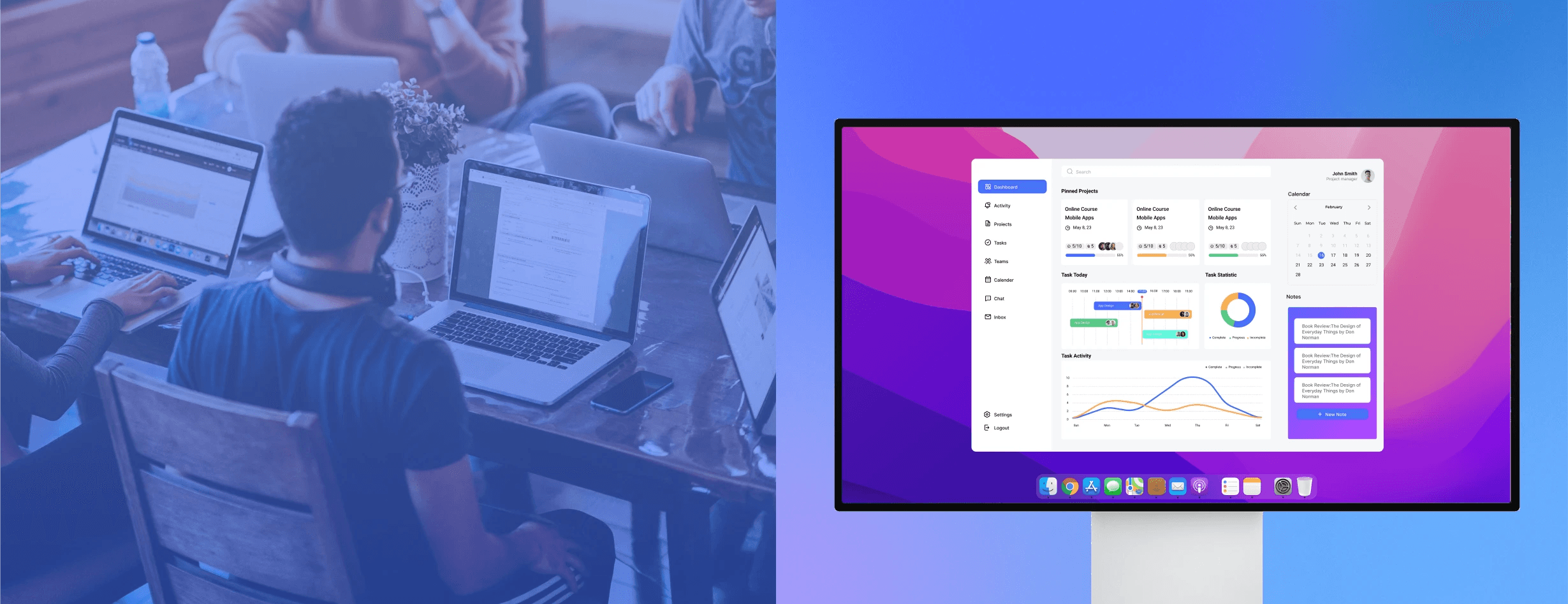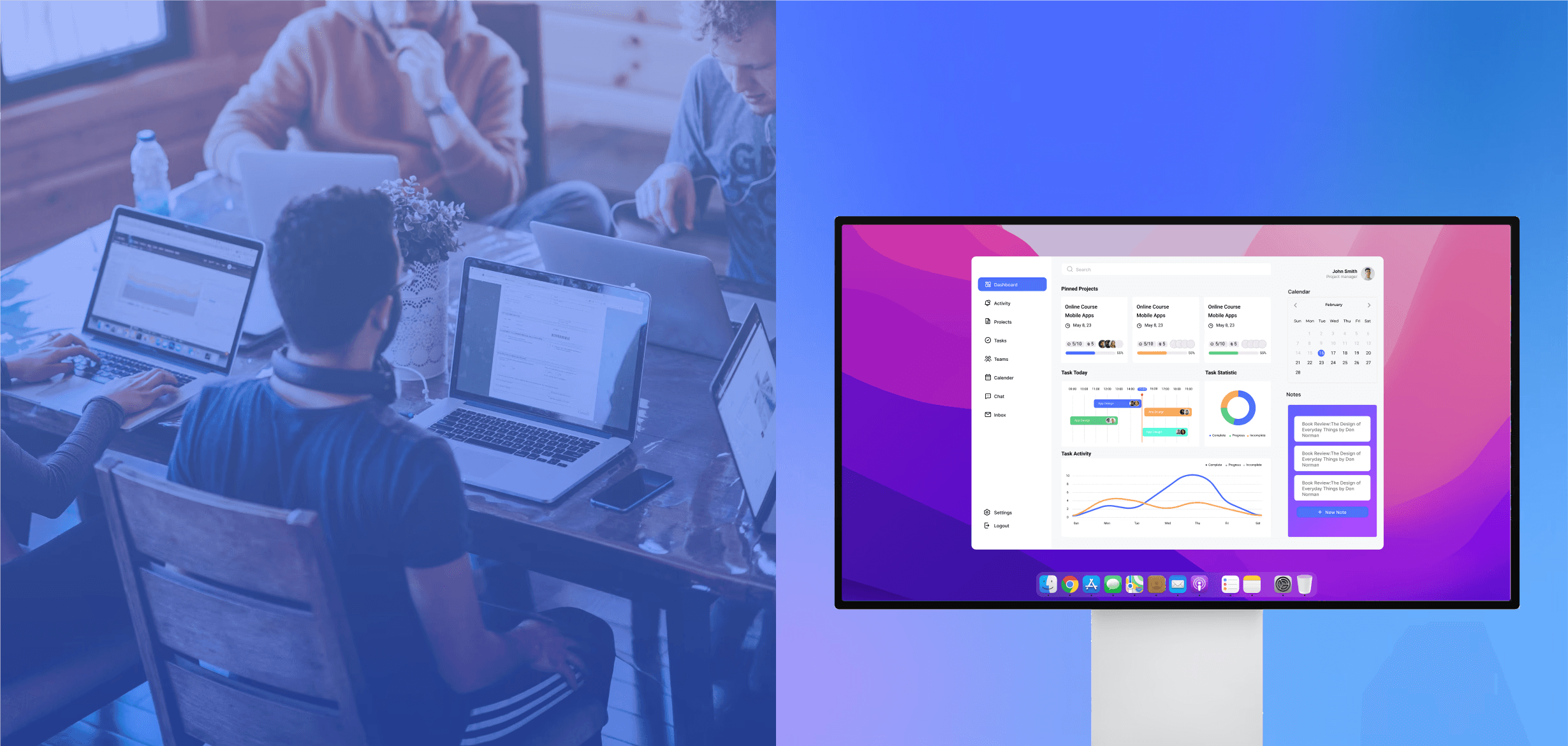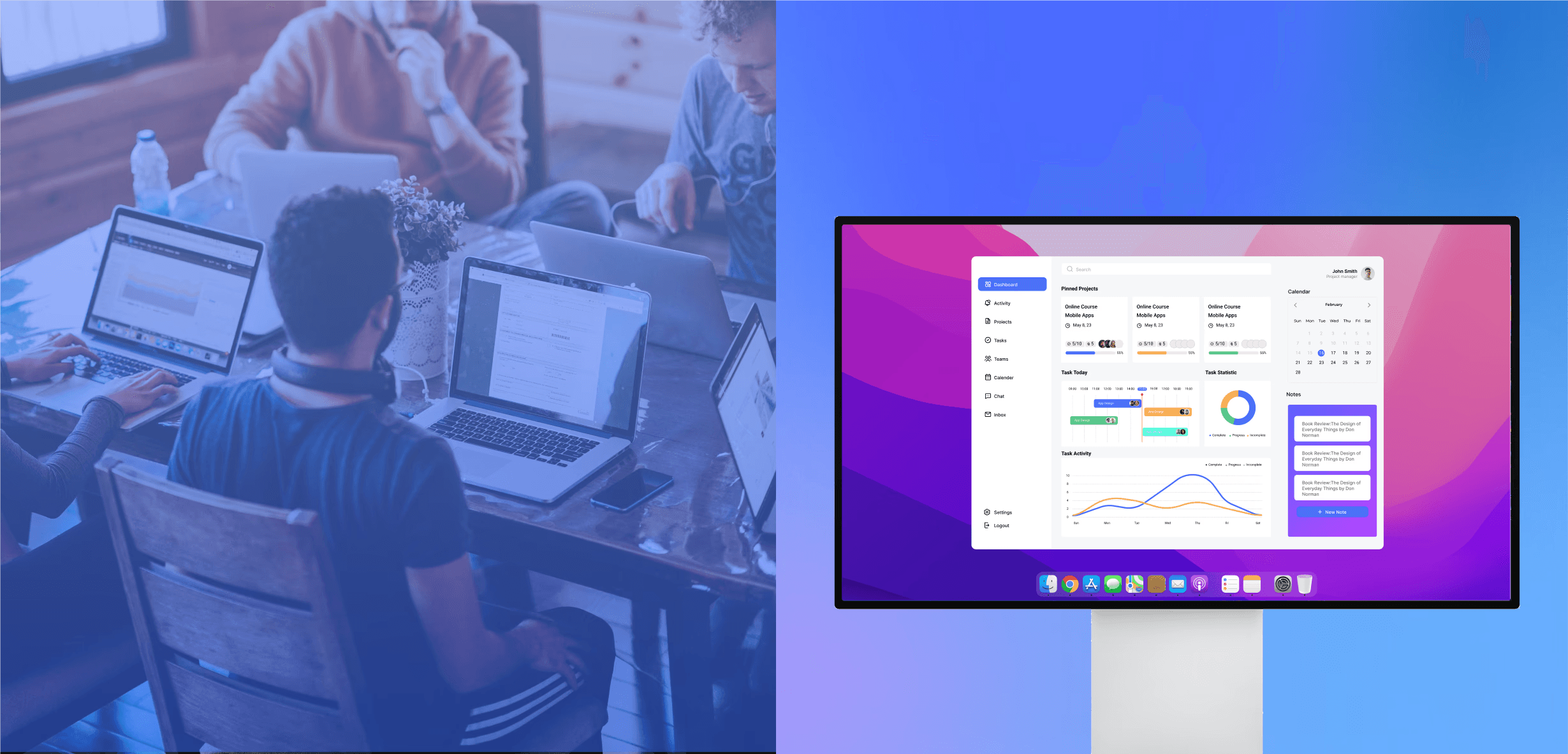
Task tools
They help structure work, but often separate execution from the conversation that explains why priorities changed.
Team Collaboration Product
Small teams rarely struggle because tools are missing. More often, information is spread across too many entry points. This project explores how a connected structure reduces switching and preserves context.
Product Designer
Desktop App Design
Team collaboration / Project management
Overview
As remote work and cross-location collaboration became more common, project management software became an increasingly important part of how teams stay coordinated. This project focused less on expanding feature coverage and more on reorganizing the relationship between project status, task progression, and communication, so small and medium-sized teams could work through a more continuous workflow with less switching and less coordination overhead.
This project followed a structured but iterative process, moving from research and problem framing to solution development and evaluation. The goal was to understand where collaboration was breaking down, translate those findings into a clearer product structure, and refine the solution through validation.

As remote and hybrid work became more common, teams grew more dependent on message streams, task systems, and shared calendars. At the same time, workdays became increasingly interrupted by notifications, multiple entry points, and repeated syncing actions.
68%
said they lacked uninterrupted focus time during the workday.
Microsoft Work Trend Index 2023
10
apps used per day on average by leaders to coordinate work
Asana Anatomy of Work Global Index 2023
Task tools support planning. Chat tools support communication. Calendars support scheduling. But real collaboration still requires people to move between systems to rebuild context, confirm status, trace discussions, and synchronize decisions.
01
Information is still hard to locate
Even when people know where work might live, the surrounding knowledge is often scattered across tools and channels.
02
Work is tracked differently across teams
Different conventions and structures increase overhead when collaboration crosses roles, functions, or timelines.
03
Communication interrupts execution
Responding quickly to messages often becomes more urgent than advancing priority work, turning coordination into hidden labor.
Key interpretation
Derived from the industry reports and workflow research cited below.
Research on digital workplaces and task switching suggests that productivity loss often comes from chasing information across disconnected systems. The coordination cost is not removed by tooling. It is redistributed into transitions between tools.
They help structure work, but often separate execution from the conversation that explains why priorities changed.
They support fast alignment, but decisions and progress are difficult to preserve as durable workflow context.
They organize time, but remain detached from the task and discussion history needed to understand what time is being spent on.
Users manually reconstruct relationships between tasks, communication, and scheduling, which embeds coordination cost inside everyday work.
In small and medium-sized teams, roles often overlap, operational capacity is limited, and communication happens while work is already moving. That makes context loss more visible and more costly, because the same people are often responsible for execution, coordination, and follow-up at the same time.
This is not intended to be a full business analysis. It only keeps the parts that were most useful for product strategy and design direction.
Based on the changing industry context and collaborative environment, the direction of this project is to reorganize the relationship between task management, communication, and time planning around the team’s actual collaborative process.
This framing gave the next research phase a clearer focus: where coordination cost concentrates, for which roles, and at which points in the workflow.

After the industry background analysis, I wanted to validate a more specific question: when tasks, communication, and scheduling are split across different entry points, exactly where do collaboration costs concentrate, for which roles, in which scenarios, and at which points in the workflow?
01
Who carries the greatest coordination burden during collaboration
02
At which points teams are most likely to lose context
03
Whether small teams truly need more features, or a more coherent workflow
To keep the problem close to real collaboration, I focused on two core roles: project leads and team members.
Questionnaires
Interviews
Empathy Maps
Journey Mapping
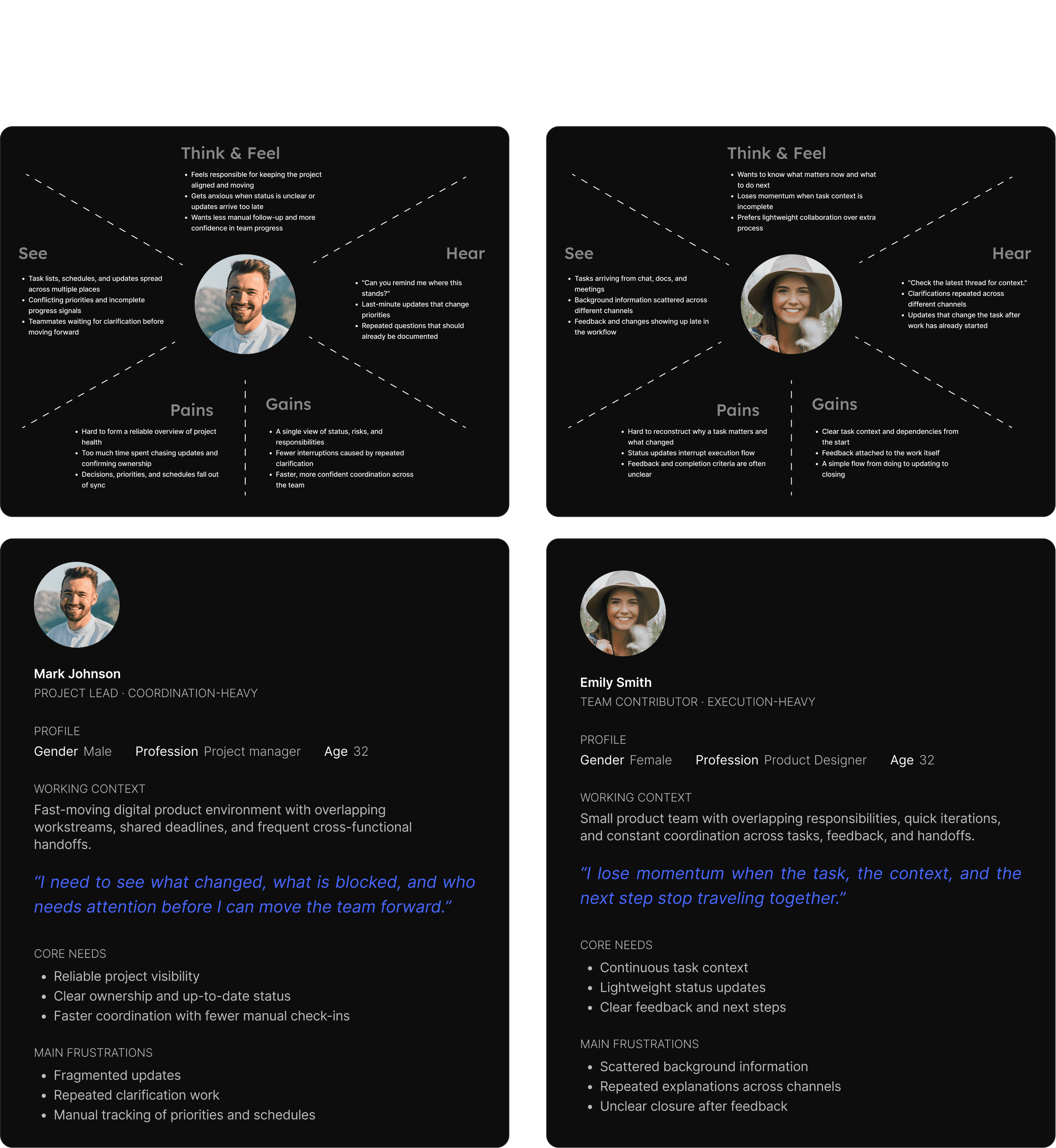
Survey research complemented interviews and journey mapping by identifying team size patterns, expected capabilities, and recurring collaboration problems.
Together, the findings showed that collaboration friction is driven by repeated breaks between status visibility, communication, and execution continuity.
For project leads, the main issue was not missing tasks, but the lack of a unified view. Tasks, discussions, and schedules existed separately and could not be interpreted together at a glance.
Even with multiple tools, managers still struggled to answer basic questions quickly: Is the project on track? Which tasks are at risk? Who needs coordination?
In daily work, discussion often happens outside the task itself. Once communication is detached from execution, teams repeatedly trace conversations and reconstruct decisions.
This creates execution friction: team members spend time rebuilding context instead of moving work forward.
For smaller teams with overlapping roles, complex systems themselves became a source of cost. Teams needed faster entry into work, not heavier tools.
For these teams, the priority was clearer information, more direct paths, and less switching-not heavier process control.
Both the earlier industry analysis and the user research pointed to the same conclusion: teams do not lack collaboration tools. The real problem is that tasks, communication, and scheduling are broken apart across different entry points, preventing information from continuing to flow within the same context.
Scope Convergence
Once the problem had been redefined, the product scope also needed to be narrowed. Rather than trying to cover every complex project management scenario, I chose to prioritize the high-frequency paths where team collaboration breaks most easily:
Viewing project & task status
Syncing info within collaboration
Advancing schedule in context
Complex Approvals
Enterprise Governance
Deep Configuration
Once the collaboration problem was clarified, the design question shifted from adding features to reorganizing workflow structure. Three decisions shaped the experiential backbone of the product.
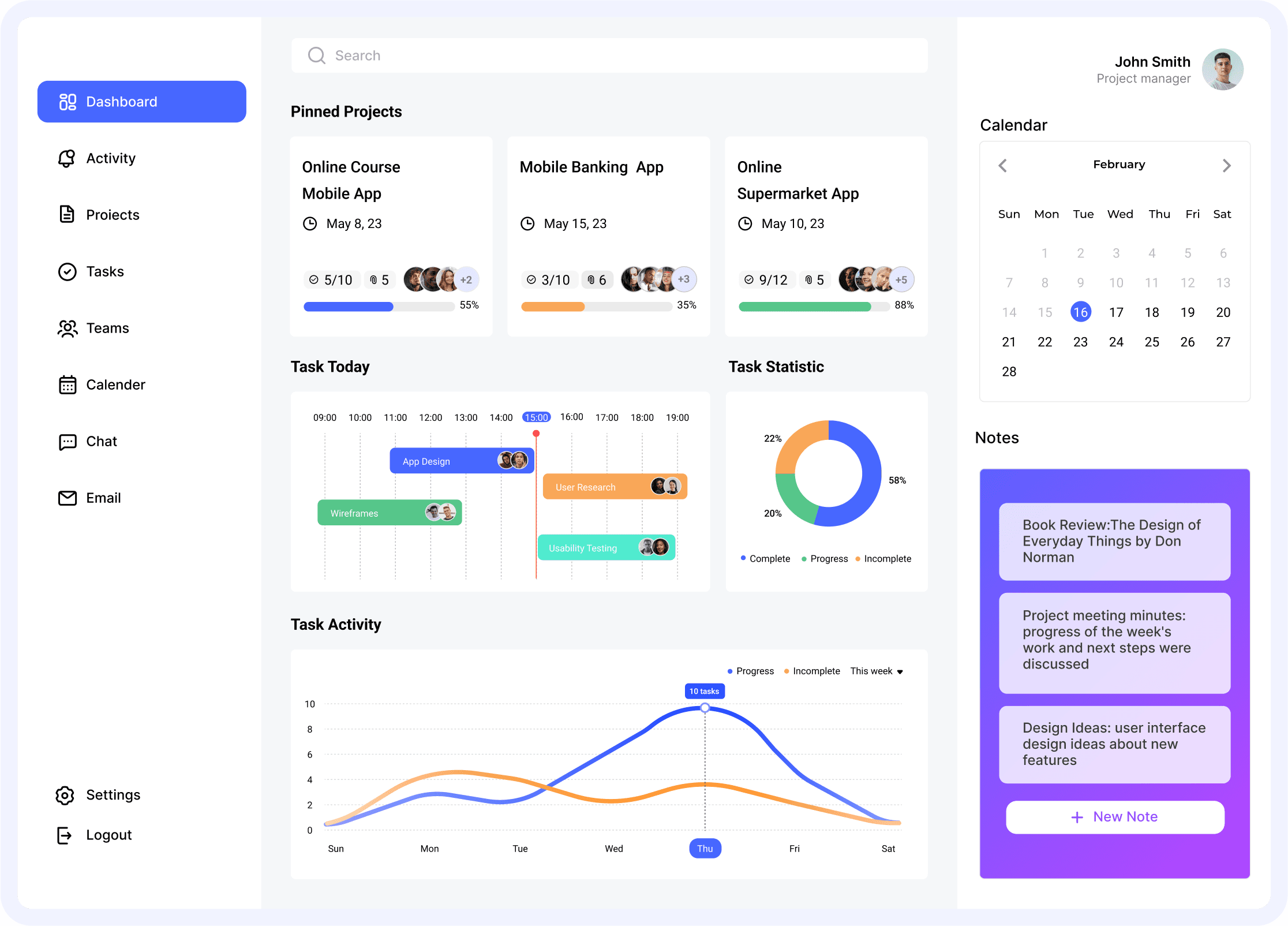
The home page was defined as a unified workspace - not a feature directory. By combining project overview, task status, today's schedule, and activity information, users build an understanding of overall project state before deciding what to do next.
Reduces cost of searching for project status across multiple pages
Helps managers build a quick overall understanding
Shifts from "tracking information" to "making judgments"
"The value of a unified workspace doesn't come from containing more information - it comes from making information easier to read and judge."
Chat, tasks, and calendar were organized as different points within the same collaboration chain. Through consistent navigation, adjacent work modules, and unified visual rules, the system supports viewing tasks, syncing progress, arranging time, and initiating communication within the same workspace.
Lowers switching cost between tasks, communication, and scheduling
Reduces burden of repeatedly tracing background
Turns disconnected actions into a continuous process
"Reducing context loss doesn't mean merging all functionality - it means organizing the collaboration chain continuously."
The product prioritized the most common and most fragile paths: task progression, team coordination, scheduling synchronization, and communication management - rather than complex approval flows, heavy configuration, or enterprise-scale governance.
Lowers learning and maintenance cost
Makes core paths shorter and clearer
Prevents product from drifting through feature stacking
"For small teams, value comes not from broader capability coverage - but from a lower-friction experience for frequent collaboration."
If the product continued to be organized as a stack of separate functional modules, it would easily fall back into the same state of fragmented tools and frequent switching. For that reason, the information architecture stage began not with page count, but with the collaborative path itself.
Workflow Structure
Modules no longer exist as parallel feature entry points. They work together in service of one continuous collaborative process: Status Awareness → Collaborative Execution → Communication Support.
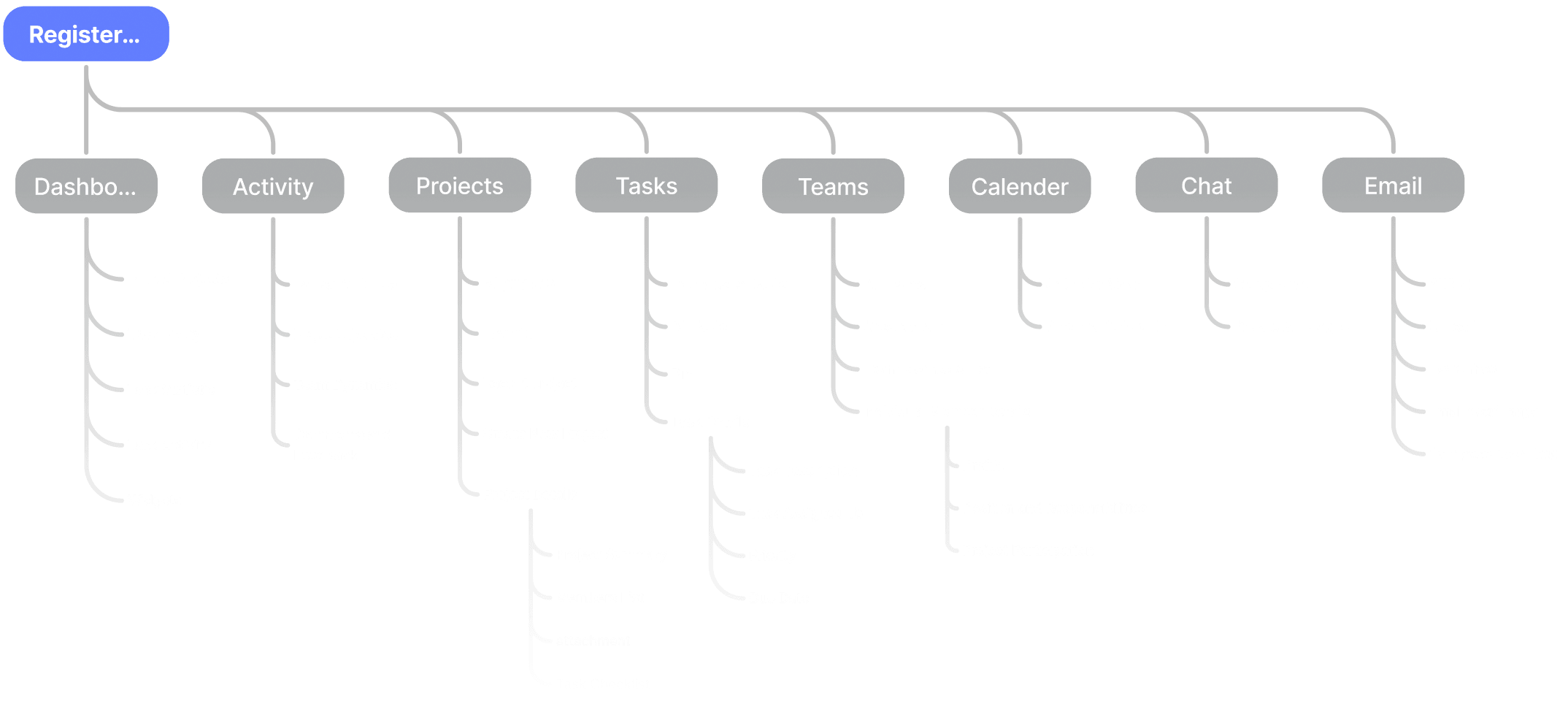
Structural Trade-offs
To keep the system clear while avoiding fragmentation from over-tooling, I made several key trade-offs during the information architecture stage.
Workflow over feature grouping
Modules stayed separate, but were organized to support one continuous collaboration flow.
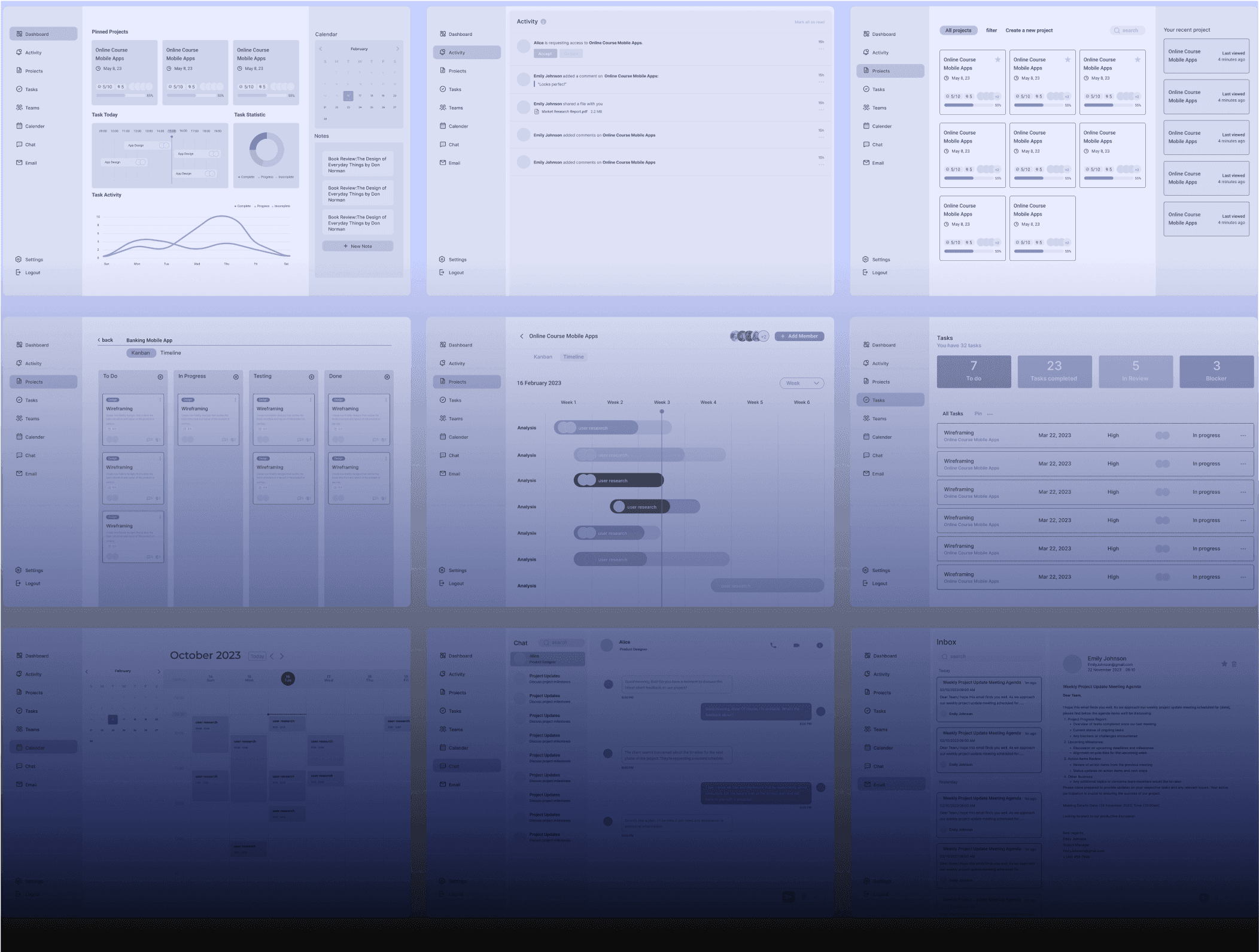
Once the information architecture had been narrowed, wireframes were used to explore layout and interaction flow across the key interfaces. The goal was not to lock visual style early, but to validate structure, information hierarchy, and core paths.
Dashboard: the first cognitive entry point after entering the system
Tasks / Projects: the central path for viewing, advancing, and changing task state
Teams / Calendar: the supporting path for member coordination and schedule synchronization
Chat / Email: how communication could stay close to task execution instead of becoming isolated again
whether the home page could help users quickly build project awareness
whether task structure was clear enough to surface priorities and progress
whether schedule and member coordination could enter the workflow naturally
whether communication remained connected to the execution chain
COGNITIVE WALKTHROUGH
At this stage, a cognitive walkthrough was used to evaluate the key task paths. The goal was to examine whether the current structure was clear enough for first-time use, whether transitions felt natural, and whether important information was visible at the moment it was needed.
Quickly understand the information on the home page and decide what to do next
Find the information needed while moving tasks forward
Switch naturally between communication, tasks, and scheduling without losing context
Understand the system structure instead of repeatedly guessing between modules
This stage examined whether the structure was clear, whether transitions felt natural, and whether the information supported judgment across dashboard interpretation, task progression, scheduling alignment, and communication transitions.
01
Will the user try to achieve the right effect?
一Form correct intention
02
Will the user notice the correct action is available?
一Form and execute correct action plan
03
Will the user associate and interpret the response from the action correctly?
一Perceive, interpret and evaluate the feedback correctly
Problems Identified
The evaluation surfaced three issues that still weakened the experience: hierarchy, transition continuity, and comprehension cost.
Transition Smoothness
Some collaborative touchpoints still exhibit friction, leading to occasional background re-confirmation.
Iteration Directions
Based on these findings, the next round of iteration focused on strengthening hierarchy, improving transitions, and lowering the barrier to understanding the system.
For small and medium-sized teams working in fast, overlapping, and constantly shifting collaboration rhythms, the final solution focused on workflow continuity, structural clarity, and the ability to carry context across different actions.
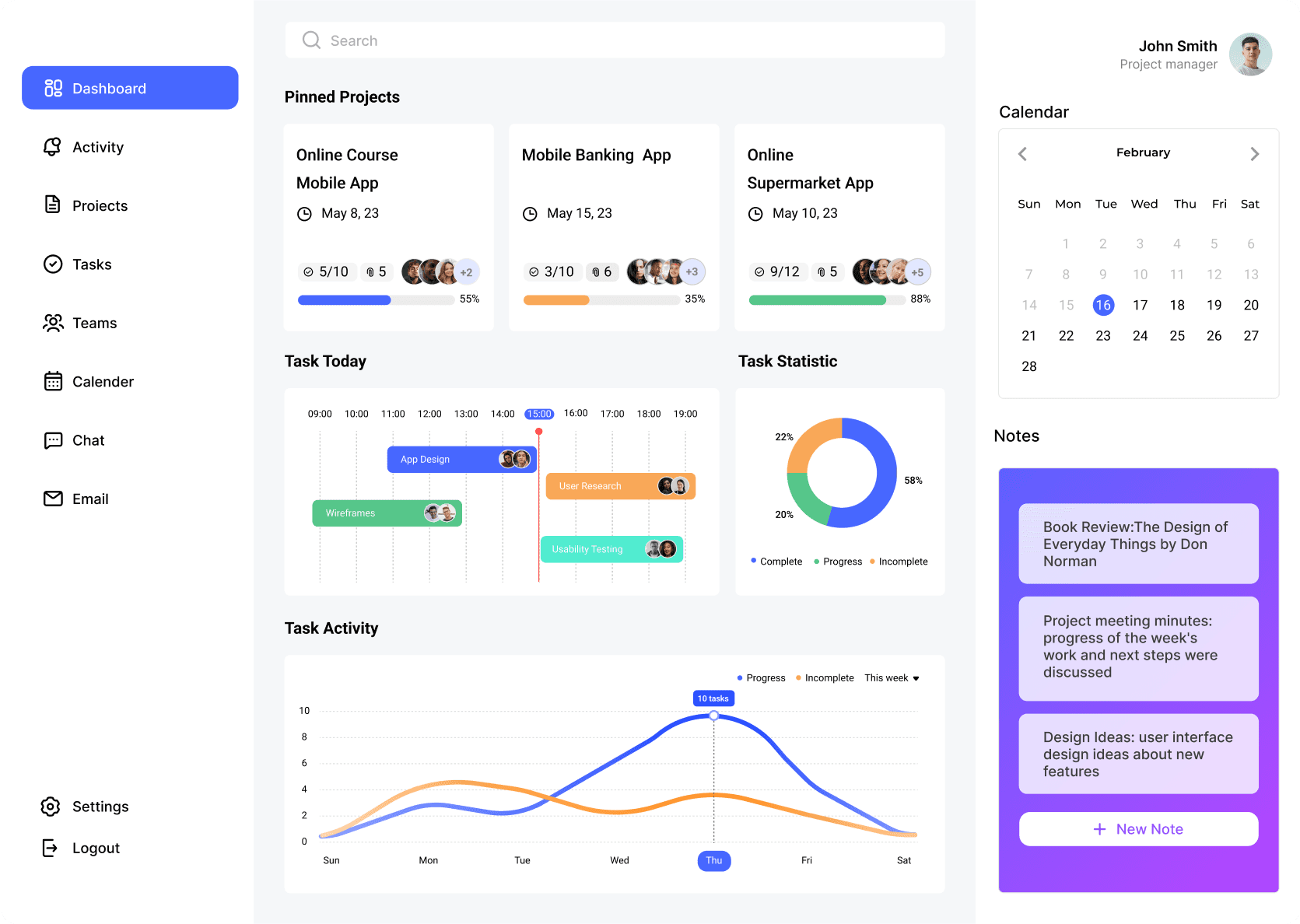
When a team enters the system, the first need is not action, but judgment. The home layer therefore works as a stable entry point, bringing together project progress, task status, daily schedules, and recent activity so users can build a quick understanding of the current state. This layer gives later actions a clearer sense of priority and helps different roles enter the workflow from the same shared starting point.
Dashboard
The Dashboard supports the first judgment after entering the system. It places project overviews, task summaries, key reminders, and daily schedules in one view so users can understand the overall situation before deciding what to do next.
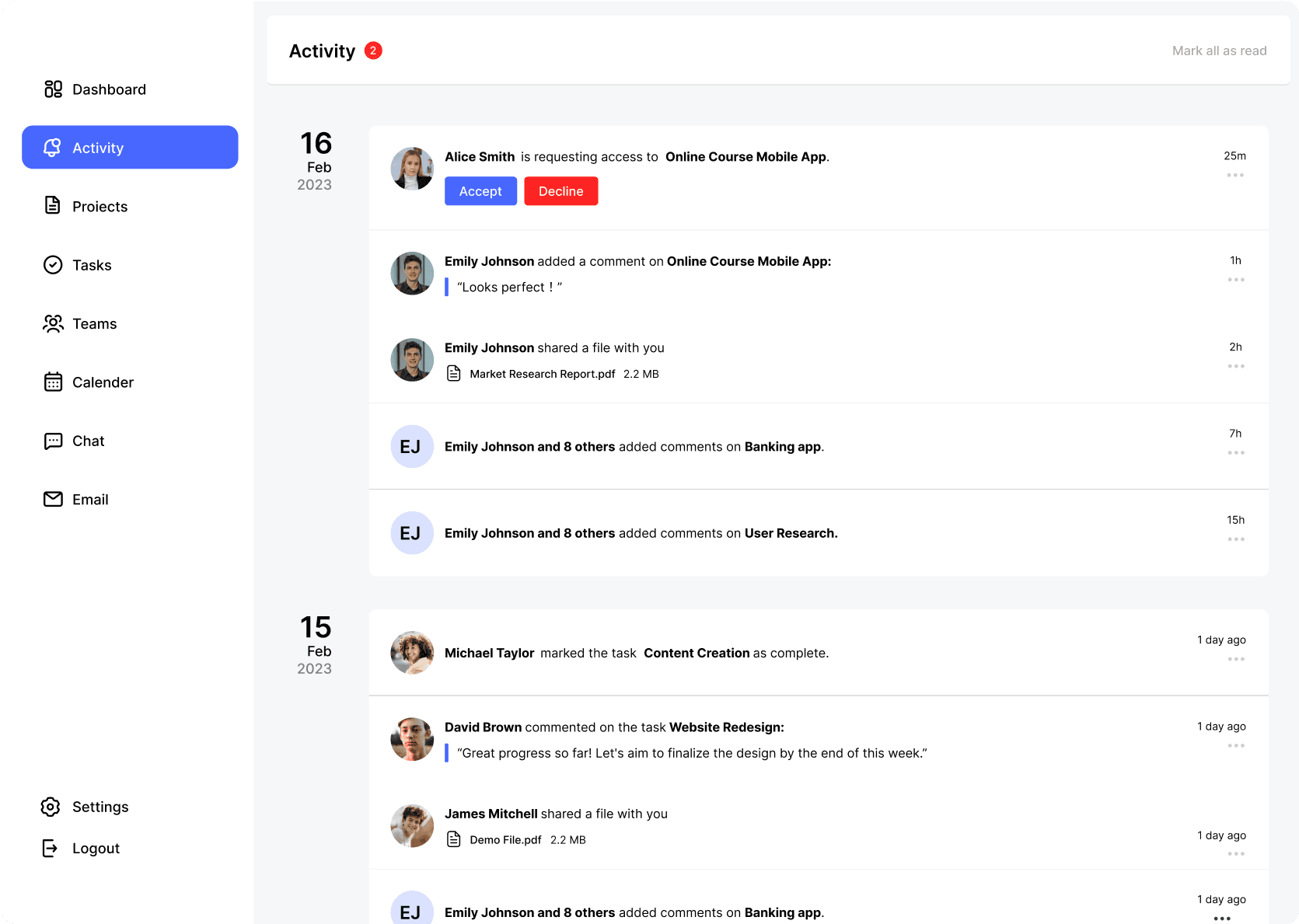
Activity
The Activity page focuses on what has changed recently. It brings updates, comments, changes, and reminders into one place, helping users recover context more quickly and reducing the need to trace information across separate entry points.
Once the overall state is clear, collaboration shifts toward task progress, team coordination, and scheduling. This layer determines whether users can continue high-frequency actions within the same context, so execution-related pages were organized into a tighter path. Task progress no longer sits on its own, while team relationships and scheduling are brought back into the execution flow, making the rhythm of collaboration easier to maintain.
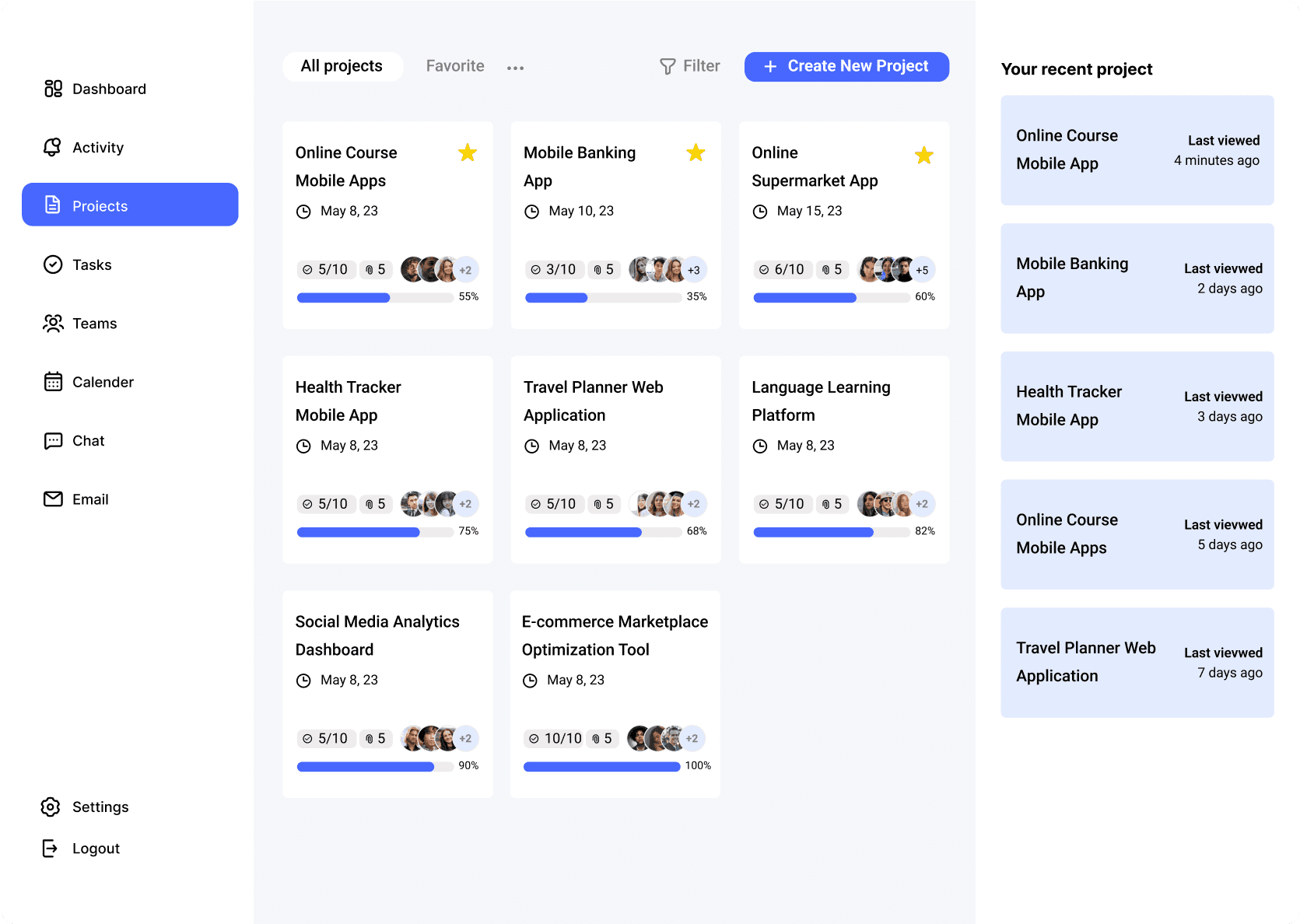
Projects
The project overview works as a transition from the global view into specific workstreams. It allows users to scan project lists, status, and priority before moving into more detailed execution layers, keeping the structure continuous between overview and detail.
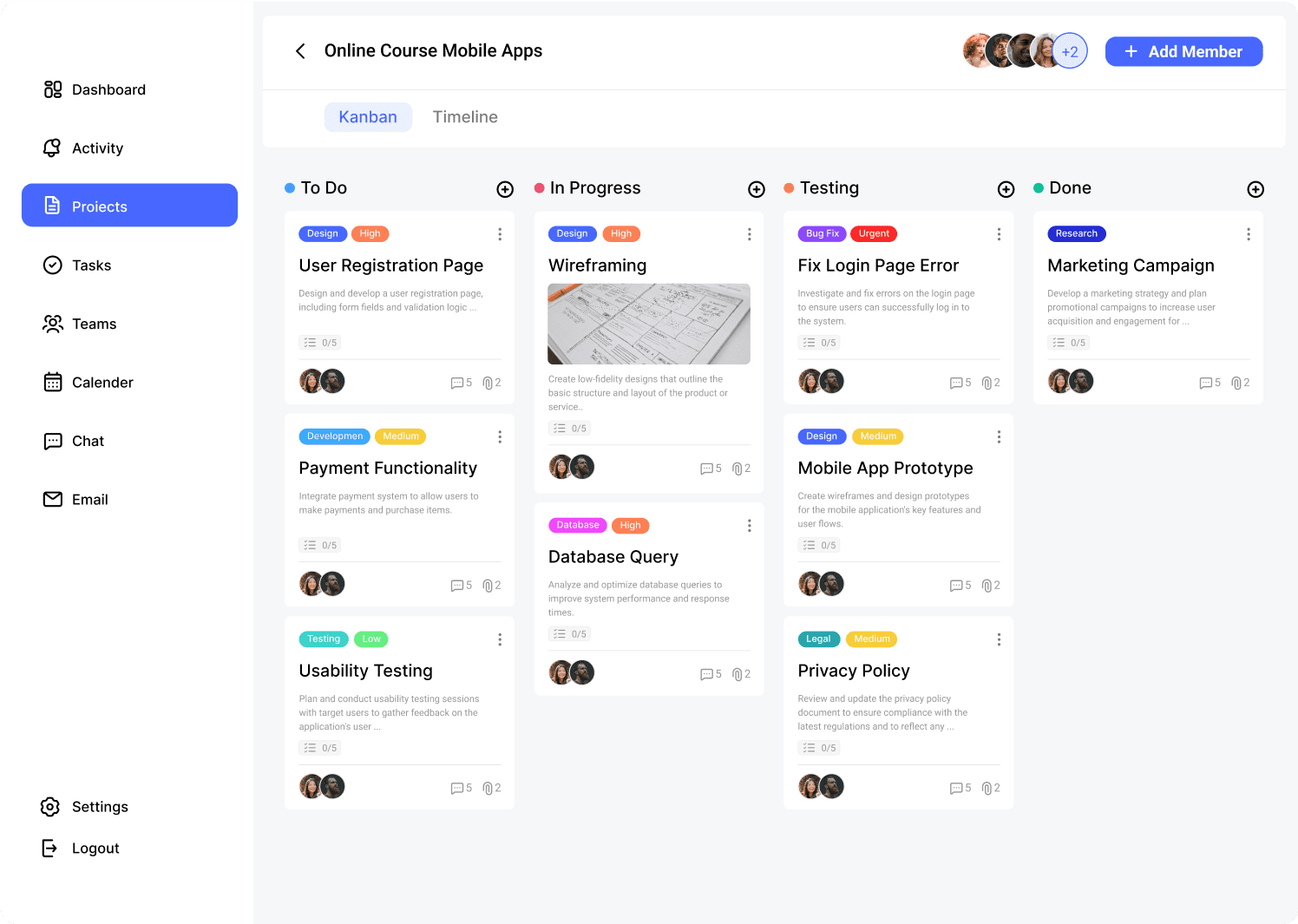
The Kanban view is better suited to tracking movement during execution. It makes task progression across stages easier to read, helping users identify bottlenecks, stage distribution, and momentum with less effort.
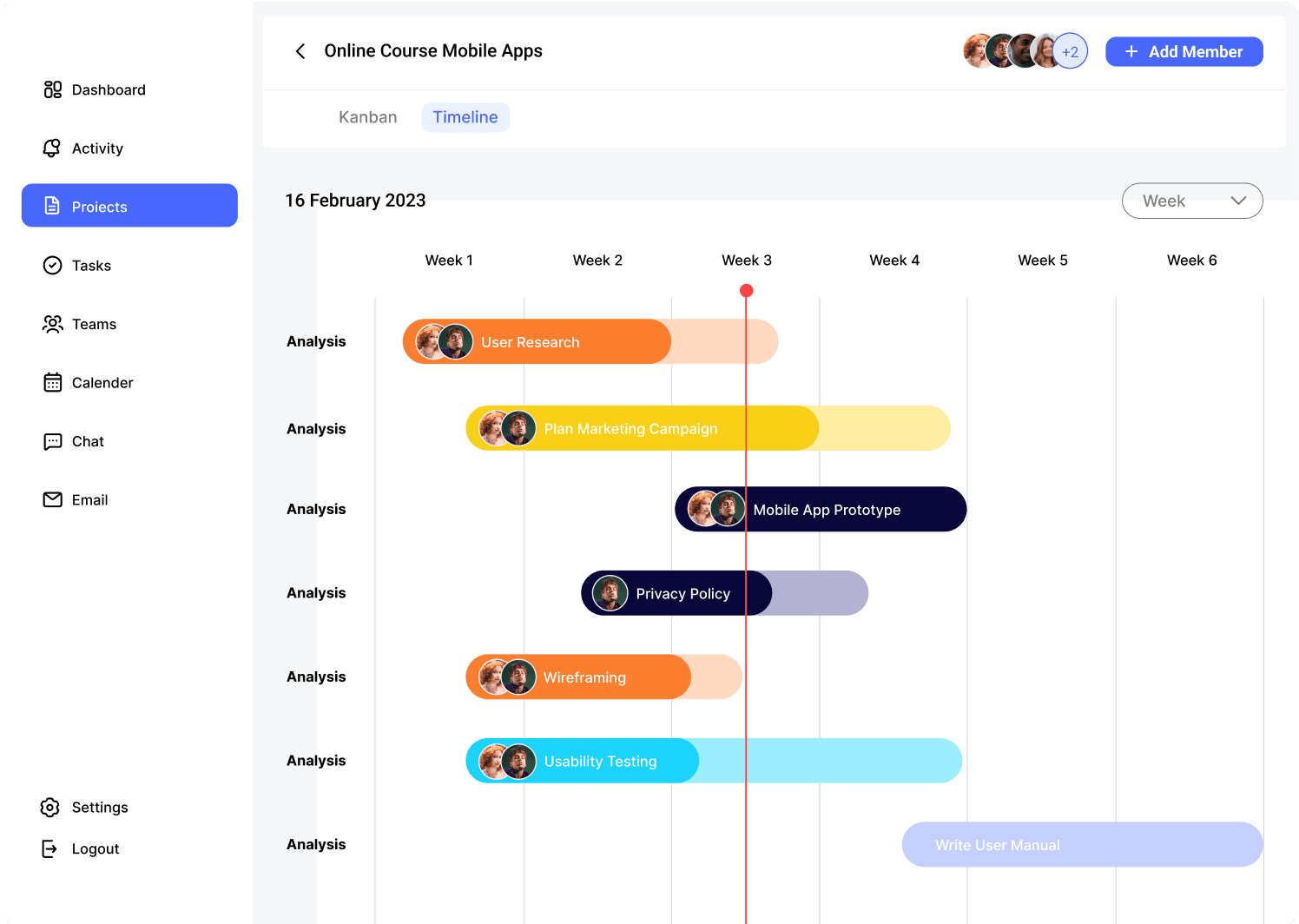
The Timeline page handles the relationship between execution and time. It helps users understand milestones, project pacing, and task distribution so planning and delivery can be read within the same view.

Tasks
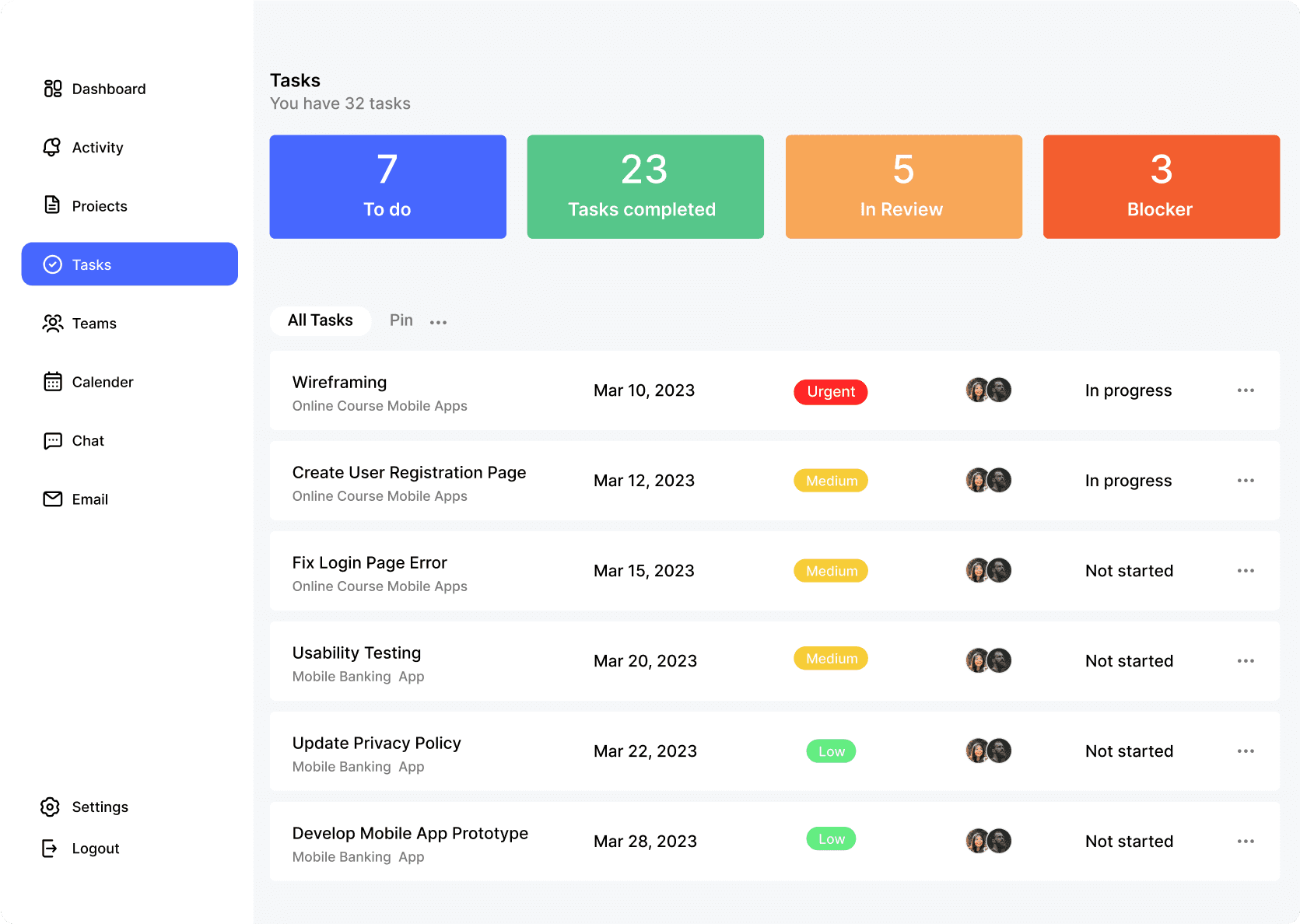
The Tasks page supports more detailed day-to-day execution. Task state, ownership, priority, and due dates are organized at the same level, allowing team members to handle frequent updates and ongoing progress more directly.
Teams
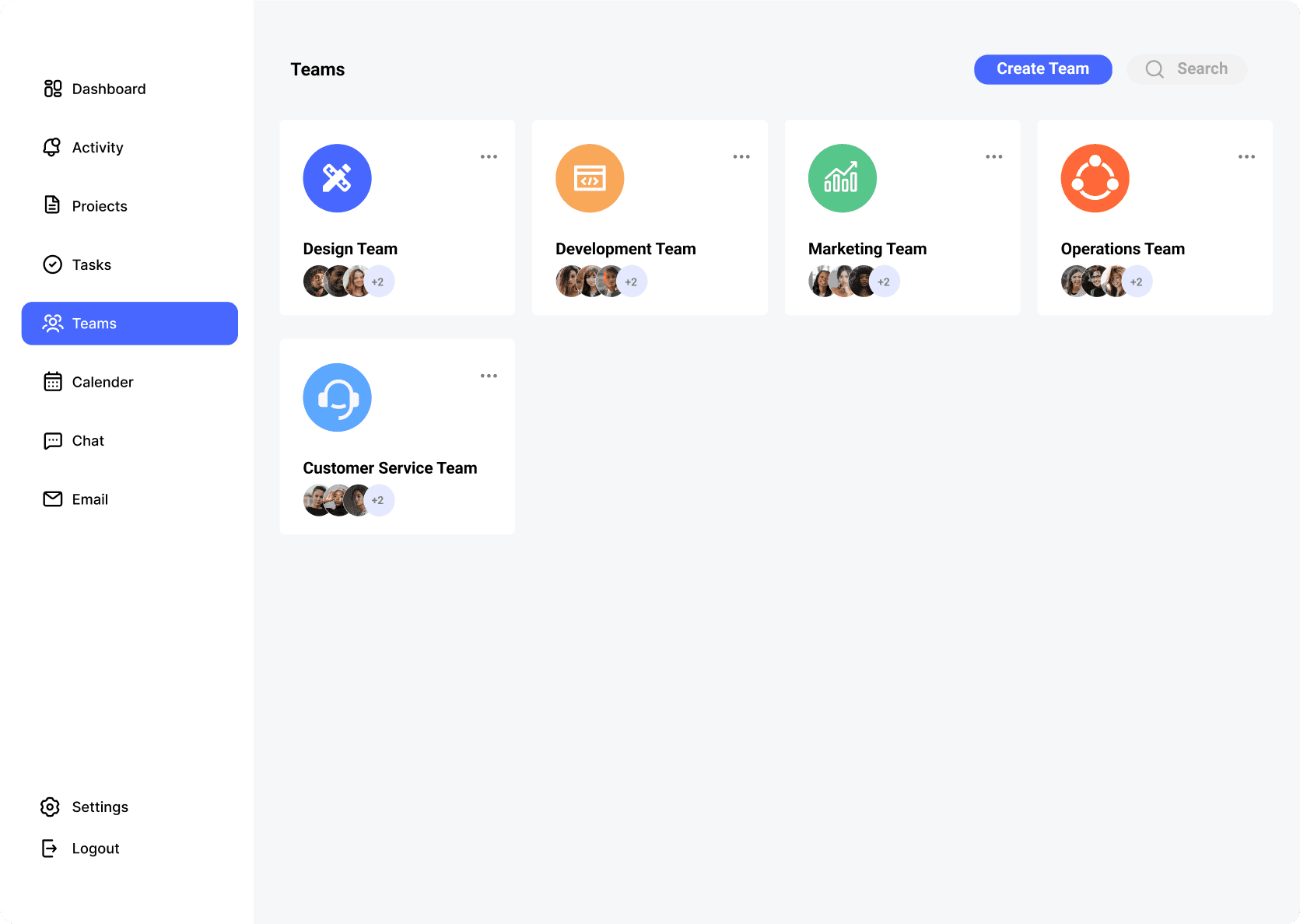
The Teams page keeps collaboration relationships visible. It makes people, roles, and working structure easier to understand, so coordination during execution does not rely entirely on extra communication.
Calender
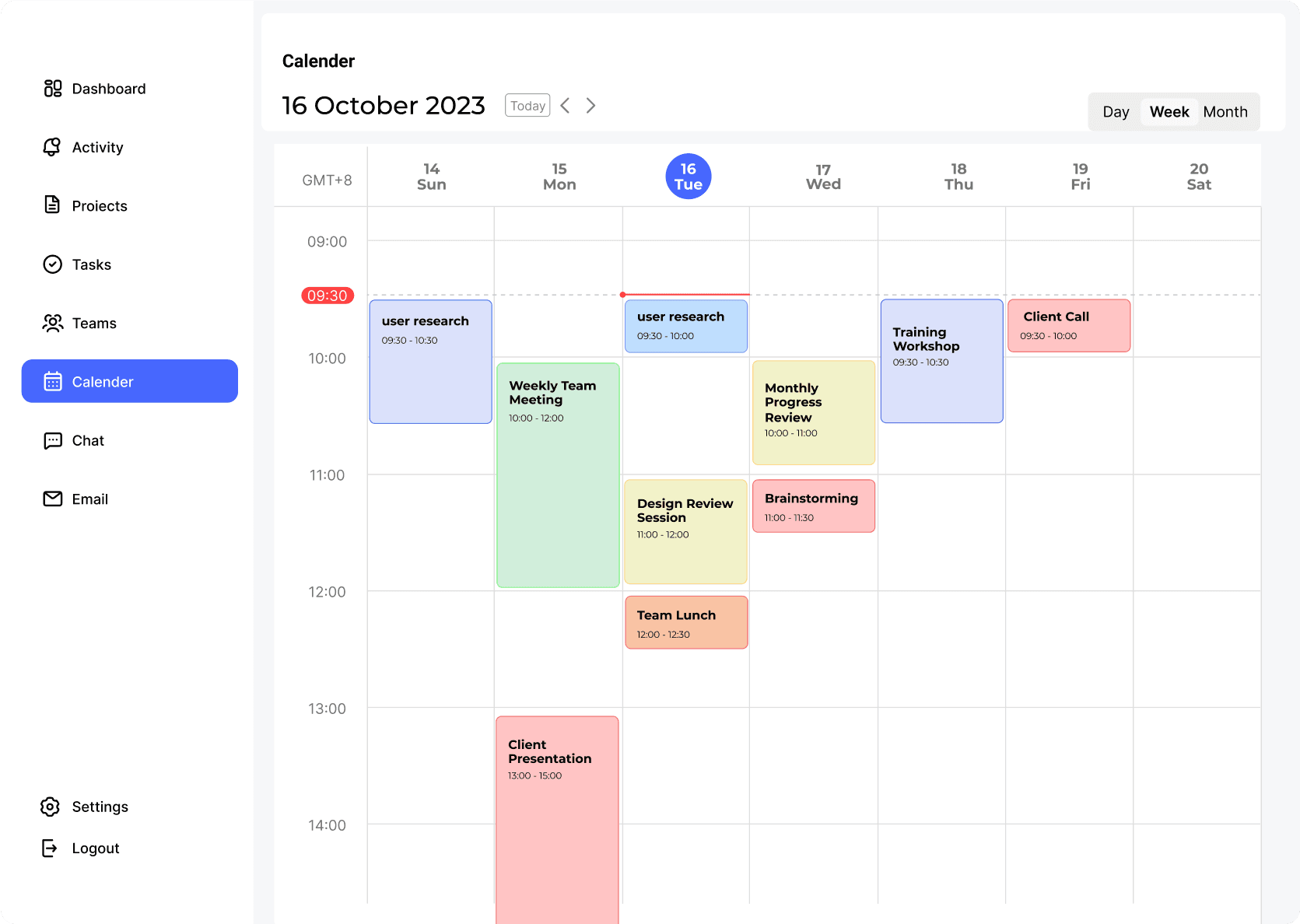
The Calendar page brings time planning back into the workflow. Task progress, meeting rhythm, and scheduling can be understood and adjusted within the same structure, reducing unnecessary switching during execution.
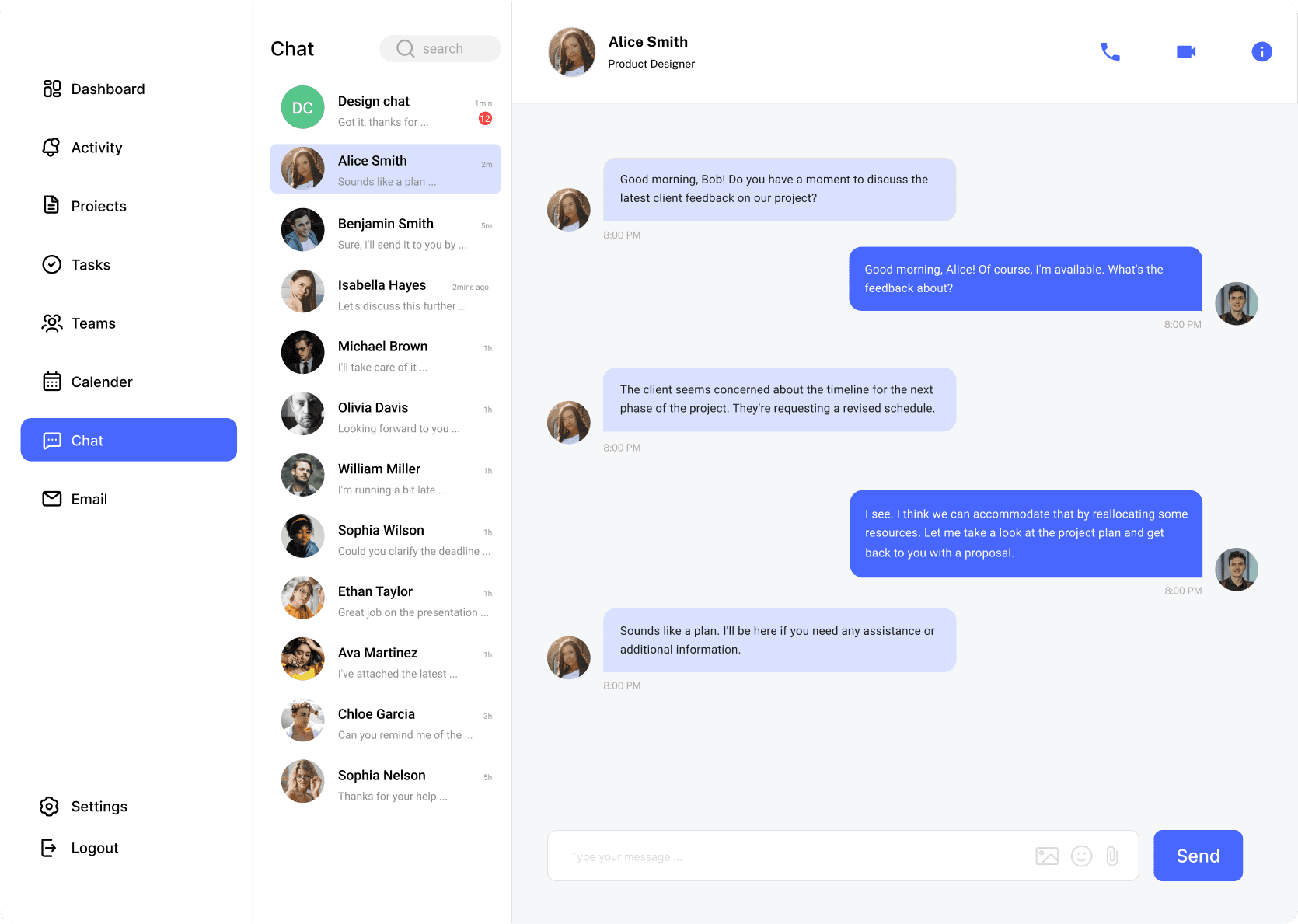
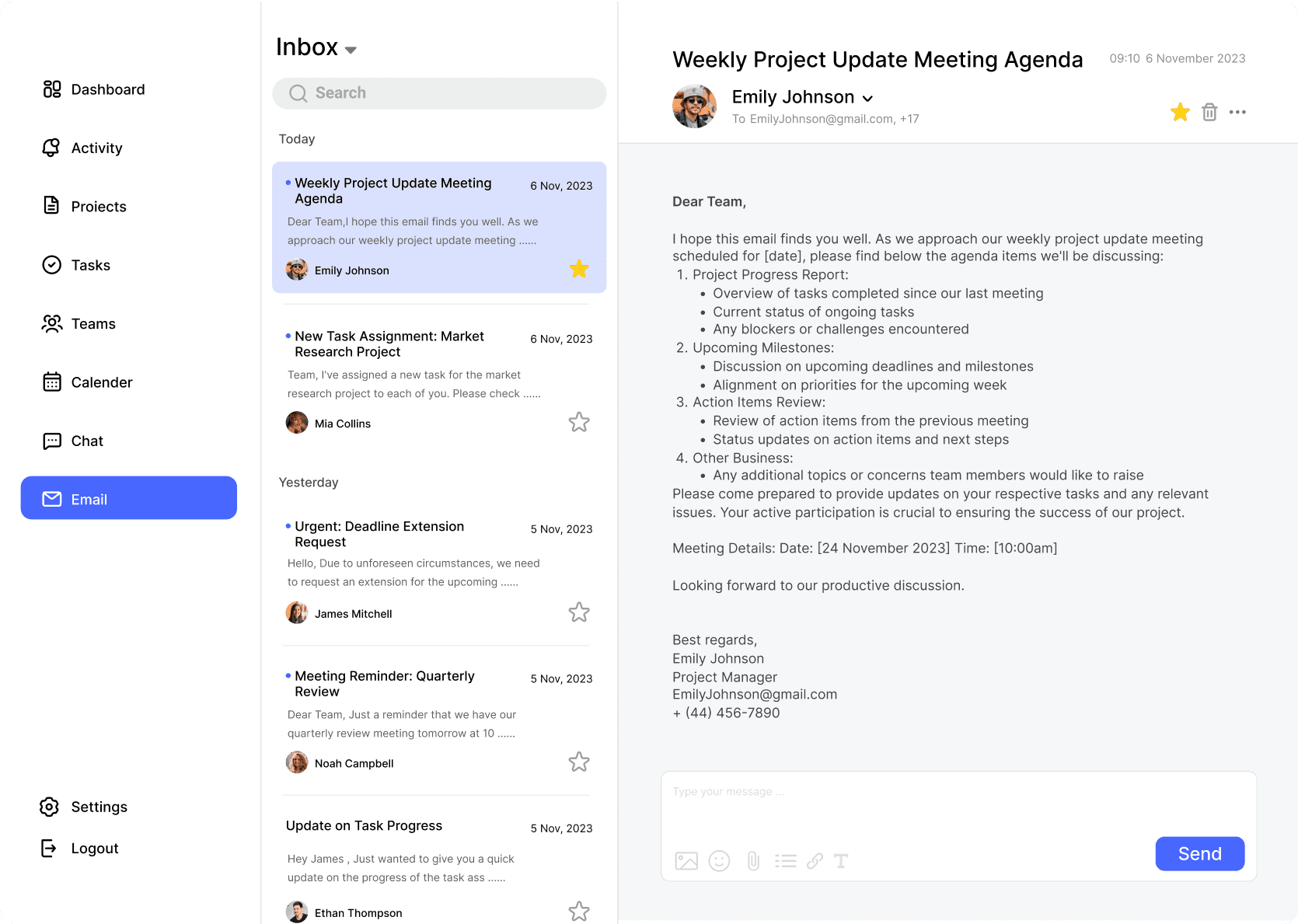
One of the recurring frictions in the research was not a lack of communication, but the weak connection between communication and task context. To reduce that gap, the final solution places communication pages back inside the collaboration path, so discussion, confirmation, updates, and follow-up can stay closer to the work itself. This makes it easier for team members to continue with the task at hand without repeatedly reconstructing context from separate channels.
Chat
The Chat page supports immediate coordination and short-cycle discussion. It stays close to execution, making it more suitable for quick alignment, clarifications, and task-related communication.
The Email page handles more formal and longer-range communication. It extends collaboration beyond immediate messaging while still keeping confirmations, follow-up, and external exchanges within the same overall workflow.
The outcome was not simply "a completed high-fidelity interface." It was establishing a clearer direction: reorganize the relationship between tasks, communication, and scheduling so teams can build awareness, advance execution, and synchronize within one shared context.The outcome was not simply "a completed high-fidelity interface." It was establishing a clearer direction: reorganize the relationship between tasks, communication, and scheduling so teams can build awareness, advance execution, and synchronize within one shared context.
Before: Status checking, task progression, communication synchronization, and schedule adjustments were all separated — teams reconstructed relationships between those actions themselves.
After: Users first build an overall understanding of project status → move into task progression and team coordination → continue maintaining continuous information flow through communication and scheduling.
When facing complex collaboration problems, the real job of the designer is not to keep adding modules, but to reorganize the relationship between information and action.
The most important research outcomes helped identify judgments that truly shaped the solution: status visibility, contextual continuity, and lightweight structure.
Validation doesn't endorse a solution. It reveals which assumptions already hold and which still need refinement. For system-level products, that matters even more.